Works in Cart Drawer

Cart Drawer Add-ons for Shopify

Most cart add-on apps only work on cart pages. Kraft works everywhere — including your slide-out cart drawer. Add shipping protection, gift wrap, and handling fees right where customers are ready to buy.

Install on Shopify
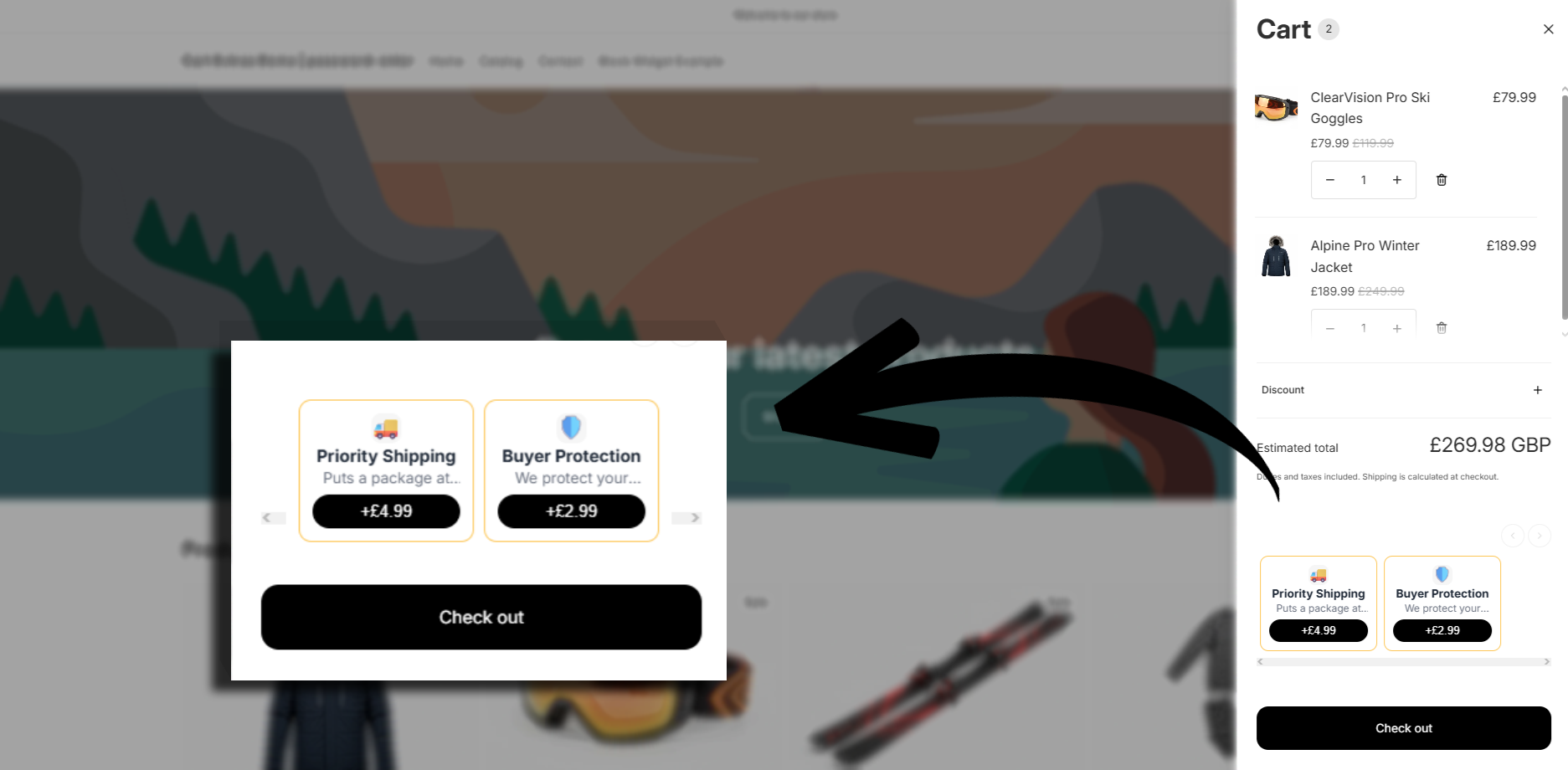
Cart drawer add-ons in Shopify

Your Cart Drawer Needs Add-ons Too

Most modern Shopify stores use cart drawers. Customers add to cart, a drawer slides out, and they checkout from there — never visiting a cart page.

If your add-ons only work on the cart page, you're missing conversions. Customers in the drawer never see your offers.

Kraft works in cart drawers natively. Same checkboxes, same line items, same clean fulfillment — just where your customers actually are.

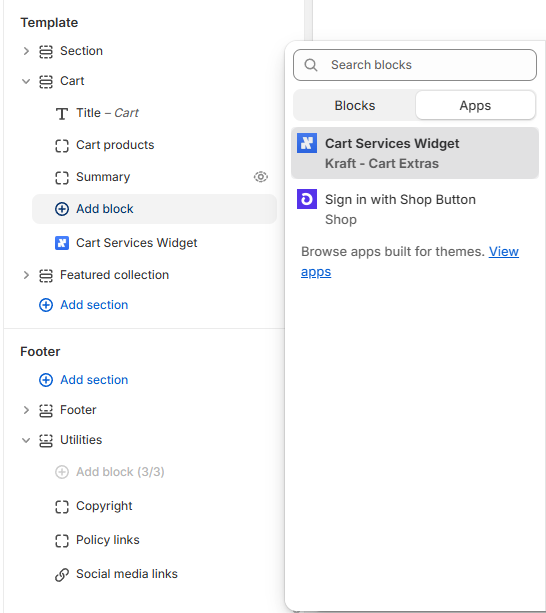
Adding Kraft block to cart drawer
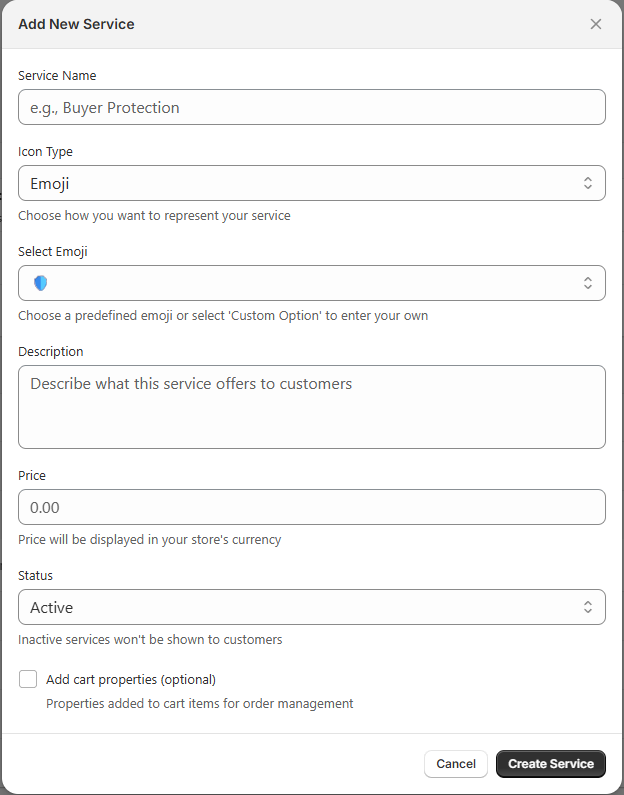
Creating add-ons for cart drawer

How Cart Drawer Add-ons Work

Get add-ons in your cart drawer in minutes:

  • Create your add-ons — shipping protection, gift wrap, handling fees, etc.
  • Open theme editor — navigate to your cart drawer section
  • Add Kraft block — drag and drop, no code needed
  • Customers see add-ons — in the cart drawer, right before checkout

Add-ons That Work in Cart Drawers

Every Kraft add-on works seamlessly in both cart pages and cart drawers.

Shipping Protection

Let customers add protection for lost or damaged packages, right in the drawer.

Gift Wrap

Holiday shoppers can add gift wrapping without ever leaving your product page.

Priority Handling

Rush orders opt-in for faster processing directly from the cart drawer.

Why Merchants Use Cart Drawer Add-ons

Reach More Customers

Most visitors use cart drawer, not cart page

Seamless Experience

Customers stay in the flow, no page jumps

No Code Required

Native app blocks work in theme editor

Frequently Asked Questions

Do cart add-ons work in cart drawers?

Yes. Kraft works with both cart pages and cart drawers. Add the Kraft block to your cart drawer section in the theme editor.

What is a cart drawer?

A cart drawer is a slide-out panel that shows cart contents without leaving the current page. Many modern Shopify themes use cart drawers instead of dedicated cart pages.

Will add-ons update in real-time in the cart drawer?

Yes. When customers check or uncheck an add-on, the cart drawer updates immediately to show the new total.

Do I need to code anything to add this to my cart drawer?

No. Kraft uses Shopify's native app blocks. Open your theme editor, navigate to your cart drawer section, and add the Kraft block.

What themes support cart drawer add-ons?

Any Online Store 2.0 theme with cart drawer support. This includes Dawn, most premium themes, and any theme that allows app blocks in the cart drawer.

Add Services to Your Cart Drawer

Reach customers where they are. Add-ons that work in cart pages and cart drawers.

Install on Shopify